


A month ago, IBM i Access Client Solutions 1.1.9.9 was released. Probably you have it already running and are using it in your IBM i environment.
I have already come across a lot of articles informing you about the new functionality added to ACS 1.1.9.9.
Below is a screen shot showing you a new option added to the Help menu:
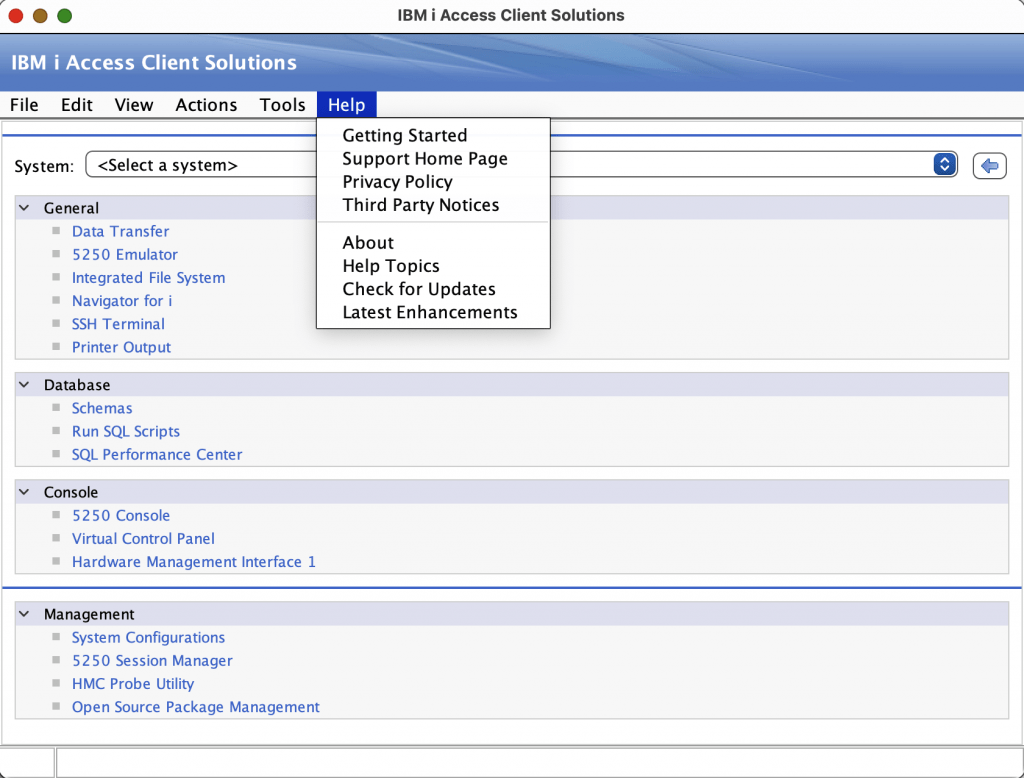
When selecting this new “Latest Enhancements” option, it will bring you this webpage https://www.ibm.com/support/pages/ibm-i-access-acs-updates
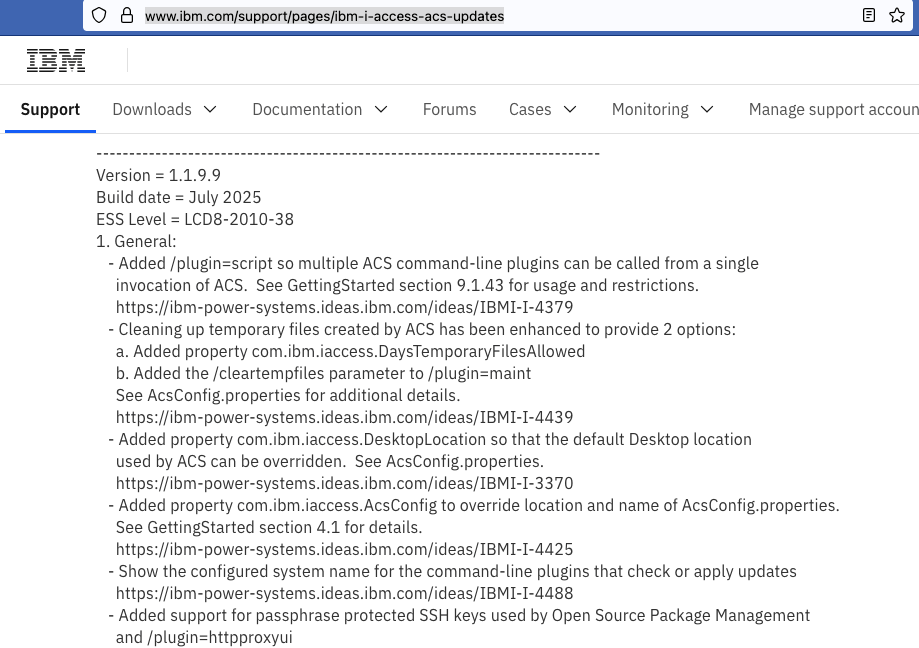
As you can see in 1.1.9.9 new properties have been added, like /plugin=script. If you want to learn this new feature section 9.1.43 in the Getting Started, also an option in the Help menu, will help you further.
As a systems manager I am always cleaning up temporary files, it is there where my journey started, which I want to share in this article.
The sentence just below item a and b told me I had to go to the acsconfig.properties file.
In order to update my ACS version, I prefer to order the latest ACS PTF and use an IBM i LPAR to check for a new version. This update process when using IBM i is skipping the acsconfig.properties file, for good reason.
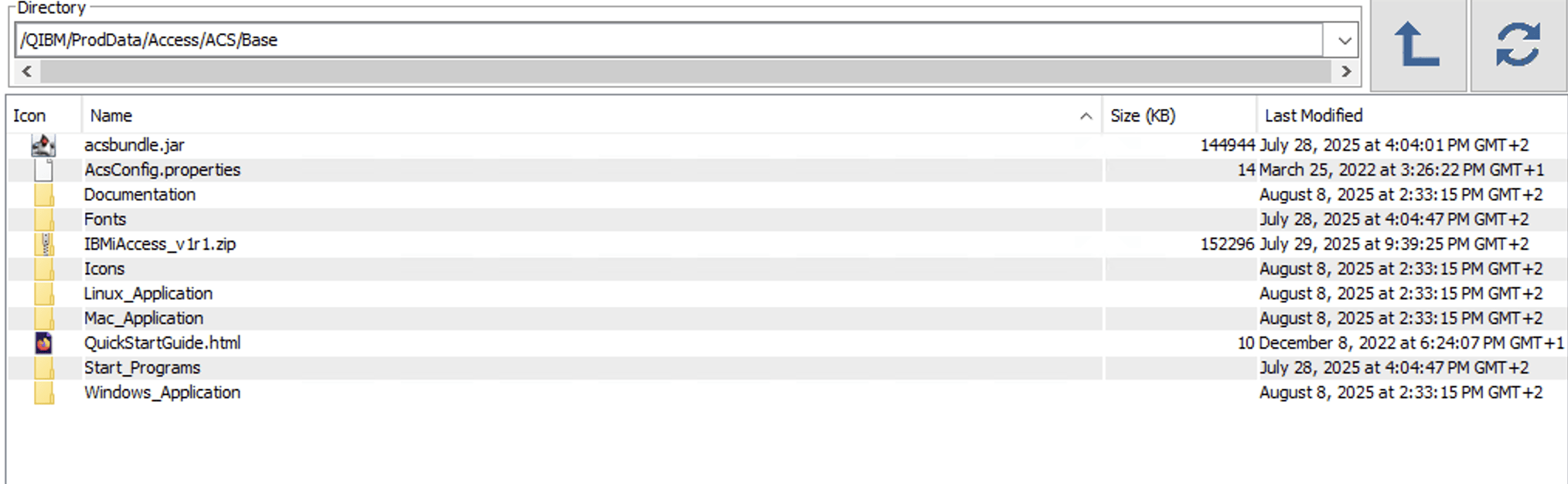
It only replaces the acsbundle.jar. So, my next action was to give the directory /QIBM/ProdData/Access/ACS/Base a good look. I soon discovered that the acsconfig.properties file residing there was last modified 22 March 2022. Meaning that the ACS PTF apply process is not updating that file with all the new properties documented in there.
If this file is not updated and the Getting Started document does not mention a new property, the only way to learn about them is to download the ACS zip file to your PC and unzip it there, to have a good look at the new properties.
The zip file containing ACS 1.1.9.9 is in the directory /QIBM/ProdData/Access/ACS/Base.
After downloading this zip file and unzipping it locally on your PC, finding the latest property options is a no-brainer.
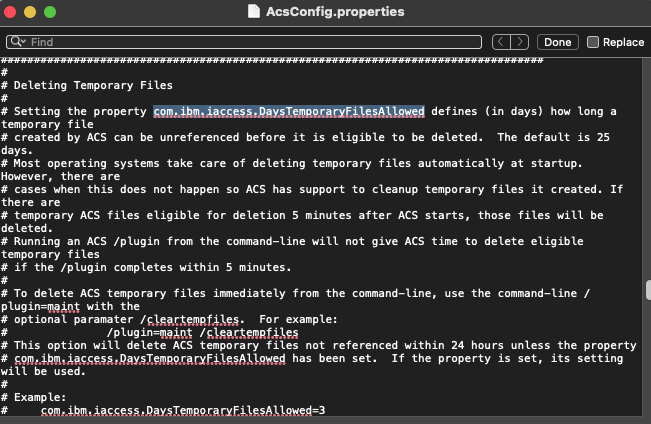
With this information a simple cut and paste allowed me to add the new property option I wanted, to my own acsconfig.properties.
When reading through this acsconfig.properties file I hit upon a property added to ACS 1.1.9.8.
The section below is from the Latest Enhancement document.

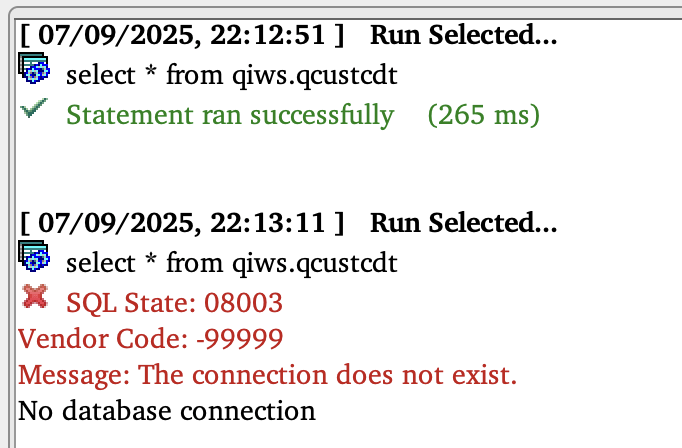
I am quite sure you must have bumped into this issue yourself, when using Run SQL scripts and running a SQL statement after a time of inactivity.
I have seen people doing a reconnect to avoid this issue. It is nice to know IBM added a property option to get around this issue.
An image of the issue is shown below:
This is what the acsconfig.properties tells you about the new “com.ibm.iaccess.ConnectionStayAlive” property:
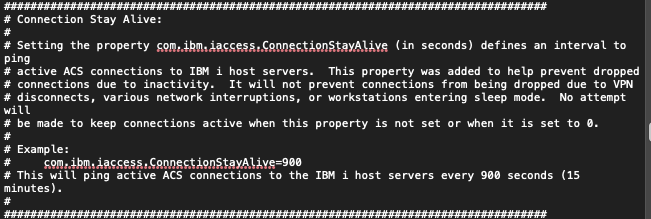
I gave this new Connection Stay Alive property a try and for me it made a big difference, no longer I have to think ‘Why is this SQL statement running for so long’, discovering in the end that my connection is lost!
With every new release of IBM i Access Client Solutions, I now know where to look if new property options are not documented in Getting Started and now so do you!
Leave a Reply