

Stop Memorising Commands: Managing IBM i with SQL Services

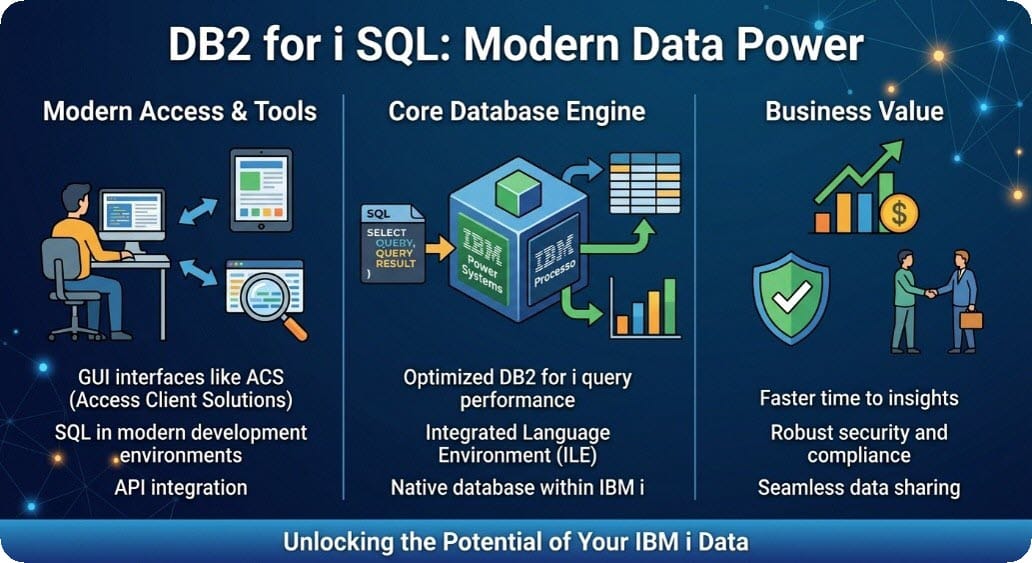
If you’ve administered IBM i for any length of time, you know the routine: run a WRKACTJOB, squint at the screen, page down, take a screenshot and paste it into a ticket. It works, but it doesn’t scale and it’s hard to automate.
IBM i Services change that. They are a set of SQL views, table functions, procedures and scalar functions, mostly in the QSYS2 and SYSTOOLS library/schemas, that expose system information as relational data. Anything you can query, you can filter, sort, join, schedule and export.
What are IBM i Services?
Rather than parsing the output of a DSPxxx command, you ask the system a question in SQL and get rows back. IBM ships hundreds of these services and they’re refreshed through Db2 PTF groups, so keeping your Db2 group current gets you new ones for free.
You can run them from anywhere SQL runs: Run SQL Scripts in ACS, Navigator for i, the STRSQL session, VS Code with Code for IBM i or embedded in an RPG, Python or Node.js program.
Why bother?
- Filtering and sorting - Want only jobs using more than 5% CPU? Add a WHERE clause.
- Automation - A query can run on a schedule and feed a monitoring tool.
- Consistency - The output has named columns and data types, with no screen scraping.
- Joins - You can combine data from different services in one result.
- Skills transfer - A Linux or Windows admin who knows SQL is productive far faster than one learning a wall of CL commands.
Five practical examples
1. Find what’s eating your CPU
The SQL equivalent of staring at WRKACTJOB, sorted properly:
SELECT JOB_NAME, AUTHORIZATION_NAME, SUBSYSTEM, CPU_TIME, ELAPSED_CPU_PERCENTAGE
    FROM TABLE(QSYS2.ACTIVE_JOB_INFO()) A
    ORDER BY CPU_TIME DESC
    FETCH FIRST 10 ROWS ONLY;
2. Check overall system health
SELECT AVERAGE_CPU_UTILIZATION, SYSTEM_ASP_USED
    FROM QSYS2.SYSTEM_STATUS_INFO;
That’s a quick check on CPU and disk usage without opening a green screen.
3. Audit powerful user profiles
Security reviews are a good fit for SQL. This lists enabled profiles holding *ALLOBJ authority:
SELECT AUTHORIZATION_NAME, STATUS, LAST_USED_TIMESTAMP,SPECIAL_AUTHORITIES
    FROM QSYS2.USER_INFO
    WHERE SPECIAL_AUTHORITIES LIKE '%*ALLOBJ%'AND STATUS = '*ENABLED'
    ORDER BY LAST_USED_TIMESTAMP;
Anything on that list that hasn’t signed on in months deserves a conversation. It’s also the kind of evidence auditors and cyber insurers like to see.
4. Check your PTF group levels
SELECT PTF_GROUP_NAME, PTF_GROUP_LEVEL, PTF_GROUP_STATUS
    FROM QSYS2.GROUP_PTF_INFO
    ORDER BY PTF_GROUP_NAME;
This makes a handy pre-upgrade checklist and you can compare the output between partitions.
5. Read a job log without leaving SQL
SELECT MESSAGE_ID, SEVERITY, MESSAGE_TEXT
    FROM TABLE(QSYS2.JOBLOG_INFO('*')) A
    WHERE SEVERITY >= 30
    ORDER BY ORDINAL_POSITION DESC;
Swap '*' for a qualified job name such as '123456/QUSER/QZDASOINIT' to inspect another job.
Getting started safely
Services respect normal IBM i authority, so users only see what they’re allowed to see. Some services need special authority or the QIBM_DB_SQLADM function usage, which you can grant through Navigator for i or CHGFCNUSG.
A few habits will save you pain:
- Start read-only. Most services only report information. A few can change things (for example, procedures that end jobs), so check the documentation first.
- Limit your result sets. Use FETCH FIRST n ROWS ONLY while exploring.
- Check the release. Some services need a minimum OS level or Db2 group PTF. IBM’s documentation lists each service’s requirements.
- Test off-production first. Particularly for anything that writes or ends jobs.
Finding more services
The best place to explore is IBM’s official IBM i Services documentation, which lists every service by category: work management, security, journal, storage, network, PTFs and more.
You can also query the catalogue directly:
SELECT SERVICE_CATEGORY, SERVICE_NAME, EXAMPLE
    FROM QSYS2.SERVICES_INFO
    WHERE SERVICE_CATEGORY = 'SECURITY'
    ORDER BY SERVICE_NAME;
The EXAMPLE column often contains a ready-to-run query, which makes it a great learning tool.
Conclusion
IBM i Services turn the platform from something you operate by memory into something you can query, script and monitor. For admins, that means faster troubleshooting and repeatable audits. For developers, it means system information available directly from your code.
Pick one task you currently do through a green screen, such as checking active jobs or reviewing user profiles and rebuild it in SQL. Once you’ve saved a handful of queries, you’ll wonder why you ever paged through WRKACTJOB!